
Key Takeaways
To build a photography portfolio that attracts your clients’ attention, focus on strict curation (15 to 25 shots per gallery), fast loading speeds without visual compression, clear navigation, and a human About page. Avoid bloated galleries, missing contact info, and slow image loading to make your creative work stand out immediately.
After years of working with cameras, lighting, and composition, you learn a simple truth: great photos take the shot, but a good website lands the job.
It is easy to think that stunning pictures with a creative touch is all you need to impress your next client. But good photos are only half of the game. The way you structure, organize, and present your work in your photography portfolio decides if someone closes the tab or sends you an email to hire you.
Whether you are putting together your very first portfolio or giving an old one a much-needed upgrade, this guide breaks down how to build a site that grabs attention, gets art directors excited, and helps you book more jobs.
What Makes a Photography Website Actually Work?
A great portfolio doesn’t need tons of pages or flashy special effects. In fact, the best sites keep things simple, fast, and easy on the eyes. When a client clicks on your link, they just want to see three things: how good your shots are, your unique style, and whether you look trustworthy enough to hire.
To build a website that actually lands you jobs, focus on these four basics:
1. Quality wins over Quantity
The most common mistake is uploading every good photo you’ve ever taken. Huge galleries hide your best work, create confusion and slow the page load time. Instead, pick just 15 to 20 of your absolute top shots. Only share the exact type of work you want to get paid to shoot next.
2. Fast loading images
Today, when the competition is fierce, no client will wait for more than few seconds for your portfolio to load. If your gallery takes more than that, potential clients will close the tab and move on. Your photos need to pop up right away, looking crisp on both laptops and phones.
3. Make your specialty obvious
When someone lands on your homepage, they should know three things within five seconds:
- What you shoot
- Where you’re based
- Your visual style
If an art director has to dig through menus to figure out if you shoot fashion, portraits, or buildings, they’ll hire someone else.
4. Make it dead simple to hire you
When a client decides they like your work, reaching out shouldn’t feel like another project. Put your email address and a simple contact form right where people can see them, along with the city or region you operate in.
Best Photography Portfolio Website Examples
Looking at how established visual creators lay out their work is the best way to understand effective portfolio architecture. Here are a few real-world examples and layout strategies that demonstrate how to structure a winning site:
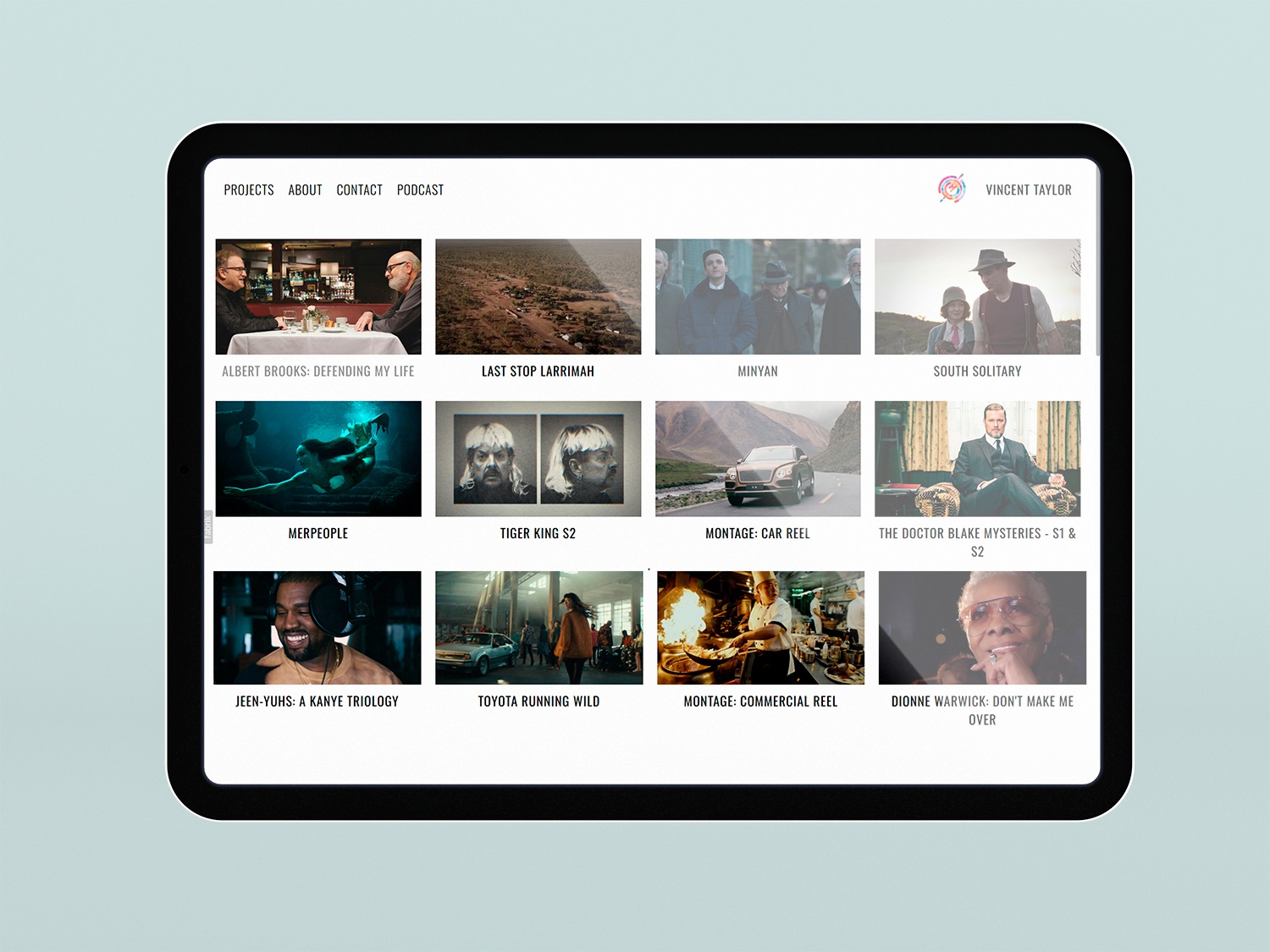
Vincent Taylor Color (vincenttaylorcolor.com): Uses Fabrik to deliver full-bleed, edge-to-edge stills separated cleanly into Commercial, Narrative, and Music Video buckets without forcing visitors through long blocks of intro text.
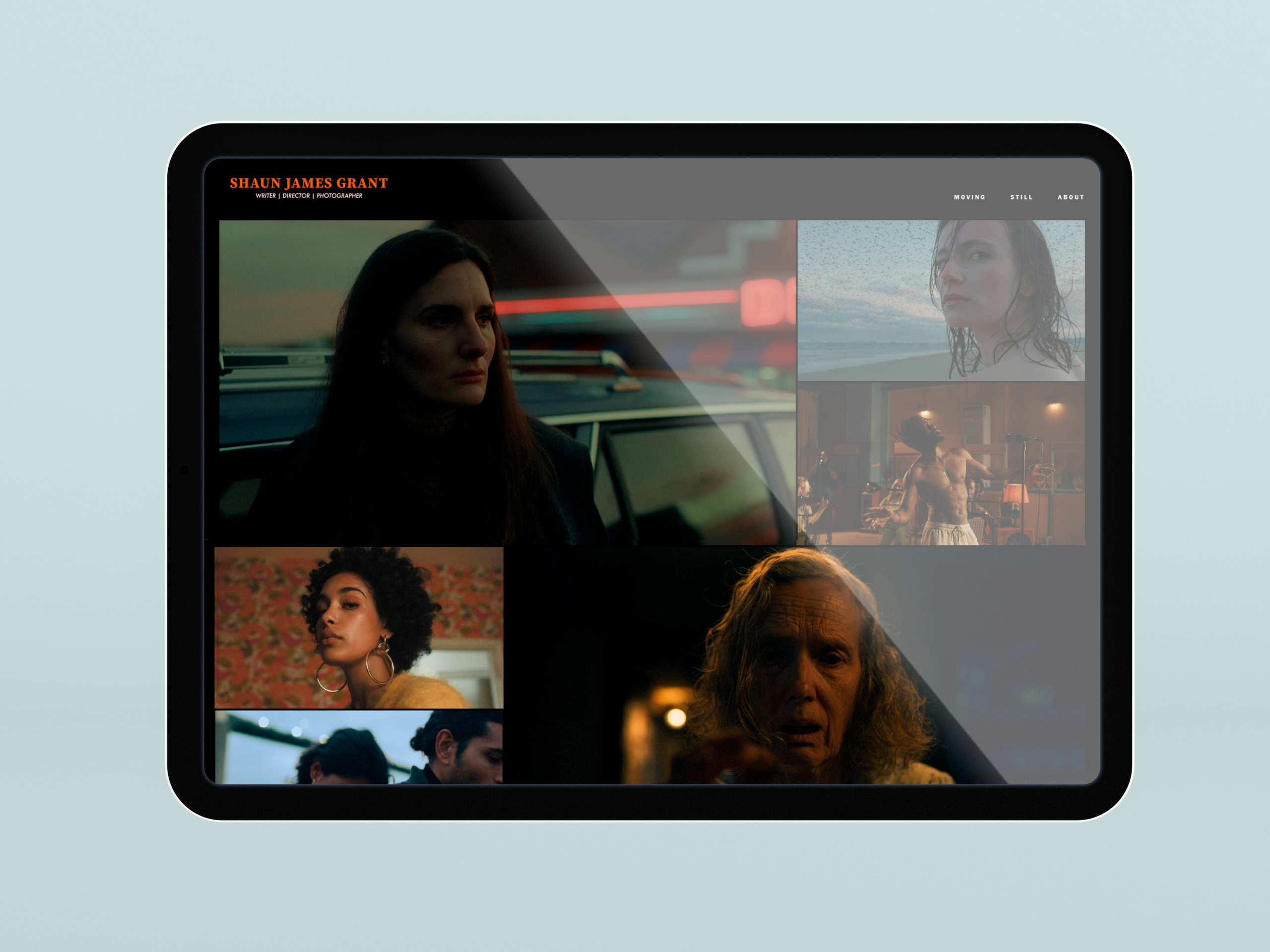
Shaun James Grant: Organizes cinematic music video stills and commercial spots with clean full-screen media players that load instantly.
Step-by-Step Guide: How to Build a Photography Portfolio with Fabrik
Building a professional website does not require writing code or struggling with complex web design software. By using a platform engineered specifically for visual creators like Fabrik.io, you can set up an online presence in minutes.
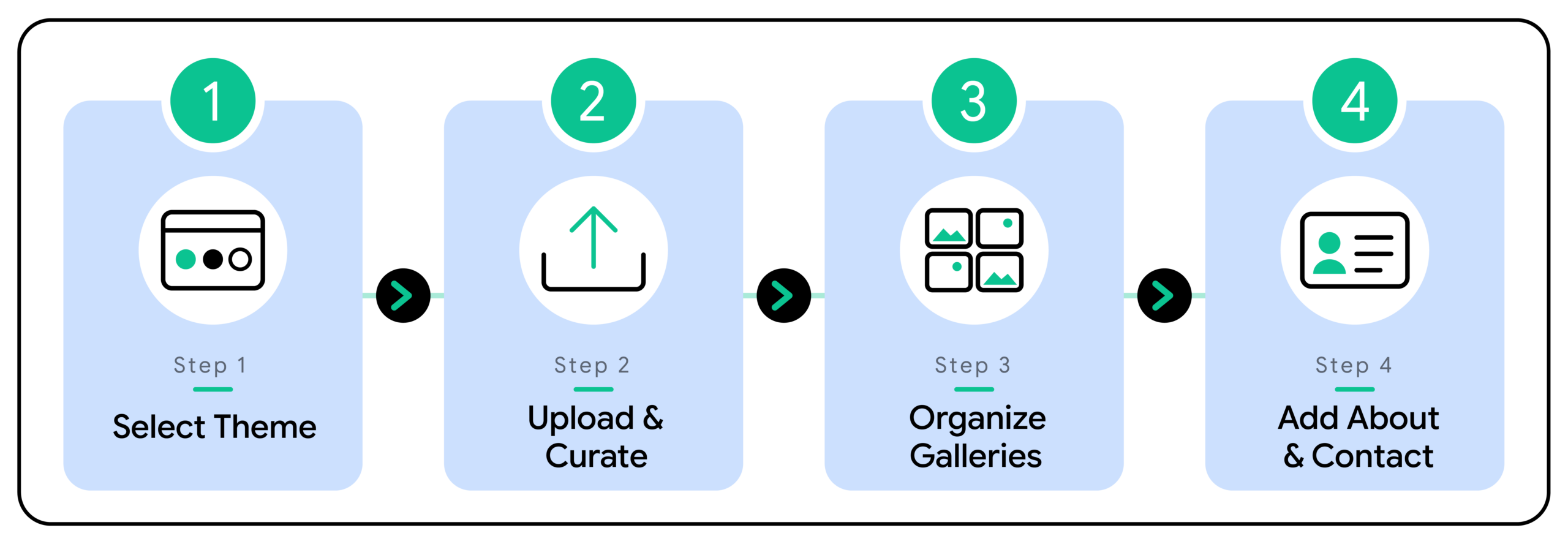
Step 1: Choose a Layout Theme Engineered for Media
Start by selecting a platform layout that matches your specific creative niche. Unlike generic drag-and-drop site builders that rely on rigid pixel canvases, Fabrik features zero-canvas, adaptive design themes, like Loden, Jute, or Calico, that automatically format your photos and video reels perfectly across desktop monitors, tablets, and mobile devices.
Step 2: Upload and Curate Your Hero Content
Upload your raw high-resolution images or video links. Fabrik’s Adaptive Media Engine handles file optimization behind the scenes, ensuring your photos remain sharp and crisp without compression artifacts or buffering delays. Select 15 to 25 of your absolute strongest images per gallery topic to keep your edit tight and engaging.
Step 3: Organize Your Work into Clear Categories
Group your project galleries into logical buckets based on what your target clients look for. If you shoot both commercial campaigns and personal street photography, keep them separated. Grouping your work by category (e.g., Commercial, Editorial, Portrait) helps producers evaluate your suitability for specific briefs quickly.
Step 4: Write Your About Page and Set Up Contact Details
Add an authentic About page that shares your background, your location, and a photo of you at work on set. Then, configure a clean Contact page with a direct email address, a simple inquiry form, and links to your active social profiles.
Must-Haves vs. Common Portfolio Mistakes
To ensure your portfolio-building process goes smoothly, keep these essential must-haves and common mistakes in mind as you build your site.
- Curation: Stick to 15–25 top-tier images per category. Selecting only your absolute best shots keeps your edit tight, engaging, and impactful. This creates a clean and powerful portfolio that will win clients.
- High-Performance Delivery: Ensure your site supports native 4K media playback with zero compression artifacts, so your photos look crisp across every screen size.
- Clear Messaging: State your creative specialty and base location clearly on the homepage, so visitors know what you shoot and where you operate within seconds.
- Simple Navigation: Use a straightforward navigation menu with direct links to your galleries and an easily accessible contact page.
- Basic SEO Optimization: Fill in clear page titles, descriptive copy, and image alt text across your galleries to help search engines surface your work.
Common Portfolio Mistakes to Avoid
- Uploading Too Much Work: Avoid dumping hundreds of similar or unedited photos into a gallery, which dilutes your strongest work and overwhelms viewers.
- Ignoring File Compression: Don’t upload massive, unoptimized image files that cause slow load times and force mobile visitors to leave before your galleries load.
- Hiding Key Information: Never make art directors guess your niche or hunt through menus just to figure out what city you are based in.
- Overcomplicating the User Experience: Steer clear of unintuitive pop-ups, auto-playing background music, or buried contact forms that create friction for potential clients.
- Leaving Meta Fields Blank: Avoid publishing galleries without text descriptions or alt text, which leaves valuable search engine visibility on the table.