
You can spend hours getting that one photograph right. The lighting has to be right, the composition needs to work, and even the smallest details matter. So, when it comes to building a photography website, you want your work to look just as good on screen as it does in your portfolio.
But putting your photographs online comes with its own set of challenges. An image might look stunning but take forever to load. Someone might love your work but have no idea how to contact you. And then there are the photographs you’d rather people didn’t download and use without your permission.
These are a few things worth sorting out before your website goes live. Let’s look at five mistakes photographers make when building a photography website.
#1. Choosing a Portfolio Website That Doesn’t Do Your Photographs Justice
A photograph can take you back to a moment, bring out a feeling, or make you stop and look for a little longer. But when you put that photograph on a website, the way it’s presented becomes part of the experience.
And that’s something worth thinking about when choosing a portfolio maker.
Take Bobby Vu’s photography website on Fabrik, for example.

The photograph fills the screen, and your attention goes straight to the image. The layout doesn’t compete with it or give you a dozen other things to look at. You get to spend time with the photograph itself.
That’s what good photographer website design can do. It gives your work room to breathe, allowing people to appreciate the details, colors, and composition without distractions getting in the way.
Of course, the website also needs to handle your images well. You might have beautiful, high-resolution photographs, but if the platform compresses them too much, crops them awkwardly, or takes too long to load them, the final result might not be what you had in mind.
So, when looking for the best photography portfolio builder, pay attention to how it displays your images. Check whether you can control image dimensions and gallery layouts, how the photographs appear on different screens, and whether they retain their visual quality after uploading.
Your portfolio is where people come to see your work. You want the website to give them the same experience of looking at your photographs that made you want to share them in the first place.
#2. Leaving Out Your Bio and Contact Information
Your photographs can tell people what you see through your lens, but they don’t always tell them what draws you to those moments in the first place. What inspires your work? What stories do you want to tell? And what makes your approach to photography different from someone else’s?
Your bio gives people a glimpse into these things. You don’t need to write a long autobiography or share every detail of your life. A few lines about your background, your interests, and what drives your work can help visitors connect with the person behind the photographs. After all, people visiting your portfolio are getting to know your work, and a little insight into the photographer can make that experience more meaningful.
If you look at Bruno Militelli’s fine art photography portfolio, for instance, you’ll find sections for his about information, testimonials, and contact details. These give visitors more than photographs to browse. They offer a glimpse into the person behind the work, provide reassurance through client feedback, and make it easier for interested people to get in touch.
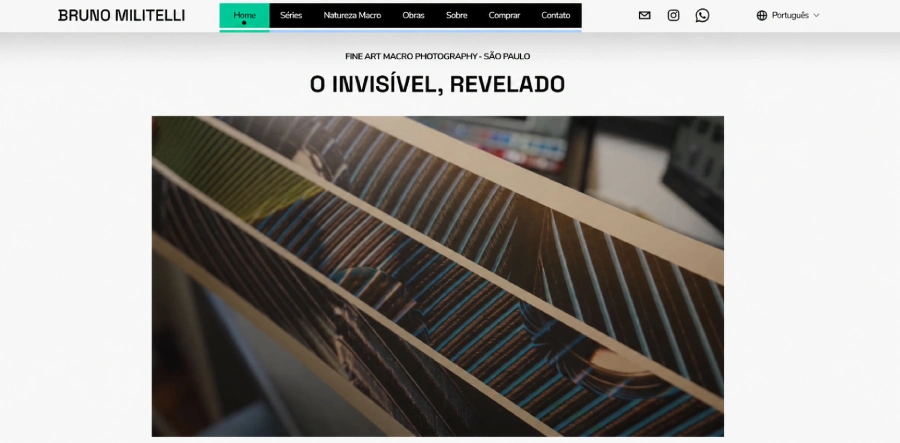
Your portfolio is a little like an introduction at a gallery. The photographs catch someone’s attention, your bio gives them a sense of the person behind them, and it can help build confidence in your work.
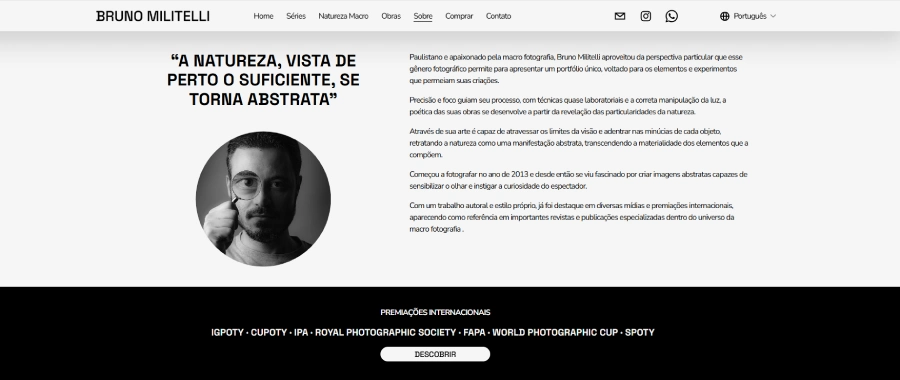
And don’t forget to make your contact information easy to find. Someone might love your photographs and want to discuss a project, but if they can’t figure out how to reach you, that conversation might never happen. Add a dedicated contact page with your email address or inquiry form and make sure visitors can find it without having to search through your entire website.
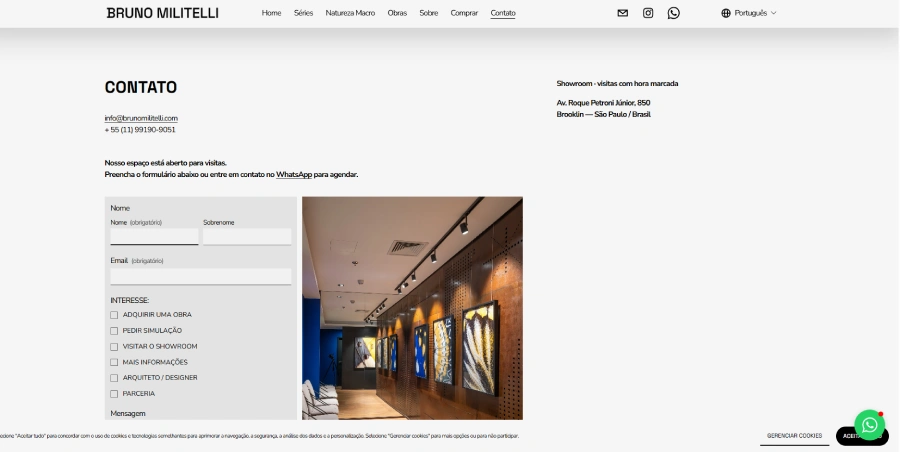
Let people see your work, understand what moves you to create it, and find a way to start a conversation with you.
#3. Making Your Website Difficult to Navigate
A photography website should feel natural to browse. Someone looking for your wedding photography shouldn’t have to scroll through dozens of food photographs to find it, and a potential client shouldn’t have to guess where you’ve hidden your galleries.
Here are a few things to keep in mind when planning your website’s layout:
- Keep your menu simple: Stick to familiar labels such as Home, Portfolio, About, and Contact. There’s no need to get overly creative with navigation when people are simply trying to find their way around.
- Organize your photographs into galleries: If you shoot weddings, portraits, travel, and food, give each category its own space. This makes it easier for visitors to find the kind of work they’re looking for.
- Don’t go overboard with design elements: Animations, transitions, and fancy effects can look cool, but too many of them can distract people from your photographs. Let your work do the talking.
If you’re grappling with how to build a photography portfolio people enjoy exploring, start by thinking about how someone unfamiliar with your work would move through it. Can they find the photographs they want to see? Can they move between galleries without getting lost?
There’s absolutely no need for a complicated design to make your portfolio stand out. Sometimes, a simple layout that puts your photographs front and center is all you need.
#4. Forgetting to Protect Your Photographs and Your Clients’ Privacy
Sharing your work online is great, but finding your photographs on someone else’s website without your permission? Not so much.
When building a photography website, it’s worth checking what image protection and privacy controls your portfolio maker offers. You can add watermarks to discourage people from passing off your work as their own, although they won’t stop every copy. If you’re sharing wedding photographs or private client galleries, password protection can help keep those images away from random visitors.
And one more thing: always get your client’s permission before publishing personal photographs, especially when children are involved.
You want people to enjoy your work, sure, but that doesn’t mean every photograph needs to be available to the entire internet.
#5. Forgetting to Check If Your Website Is Ready to Go Live
So, you’ve picked your favorite photographs, sorted out your galleries, added your bio, and made sure people can contact you. Your portfolio is looking pretty good! But before you share it with the world, there’s one last thing to do: make sure the website itself is working properly.
When building a photography website, it’s easy to get caught up in how everything looks and miss a few technical details. Here’s a quick checklist to run through before you call it a day.
- Get your own domain: A custom domain makes your portfolio look more professional and gives people an easier way to find you.
- Check the loading speed: Large image files can slow things down, so make sure your photographs load without making visitors wait around.
- Test it on different screens: Your website should look good on phones, laptops, and larger displays. Mobile deserves extra attention, since it accounted for 60.04% of website traffic in your data from September 2025 to September 2026, compared with 39.96% on desktop.
- Check website security: Make sure HTTPS is enabled and your SSL certificate is working. This helps protect the connection between your website and its visitors.
- Help people find your work: Your photos deserve some Google love, too! Give your pages clear titles, keep URLs neat, and add alt text to your images. A little photography portfolio SEO can help the right people stumble upon your work.
- See what you can customize: If you want to tweak the design later, check whether your best photography portfolio builder supports custom CSS or HTML.
And don’t just check how the homepage looks. Click through your galleries, test your contact form, and open every important link. A quick check now can save you from an awkward moment when a potential client visits your website.
A good photography portfolio does more than display your best shots. It helps potential clients understand your style, explore your work, and decide whether you’re the right photographer for their project. Before publishing your website, check that your images look their best, your galleries are easy to browse, and your contact details are easy to find. Test the site on your phone, check that your pages load quickly, and sort out the basics of SEO so people can discover your work. Start by fixing the issues that could get in the way of a visitor appreciating your photographs or enquiring about a shoot. You can always refine the design as your work and business grow.