

When you set out to build or update your online presence, it is easy to get stuck overthinking the design. You end up staring at a blank screen, tweaking font sizes for hours, or wondering how many brand identity projects you actually need to display.
The secret to a high-converting graphic design portfolio isn’t complicated custom code or flashy visual gimmicks that distract from your work. It comes down to presenting your projects clearly, giving each piece room to breathe, and choosing an adaptive platform that lets your personal visual style take center stage.
Why a Strong Graphic Design Portfolio Matters
Your portfolio website is your primary business asset and the front end of your personal brand. Creative directors, agency heads, and potential clients rarely hire based on a resume alone; they want to see your visual thinking, attention to detail, and problem-solving abilities in action.
Relying purely on social media channels or third-party design feeds puts your work at the mercy of algorithms and aggressive compression. Having your own dedicated site gives you full control over your project storytelling, layout pacing, and direct client booking pathways.
Real Portfolio Inspiration from Fabrik Heroes
Reviewing real-world graphic design portfolio websites is the best way to gather ideas for your own layout. Here is how creative leaders structure their work on Fabrik:
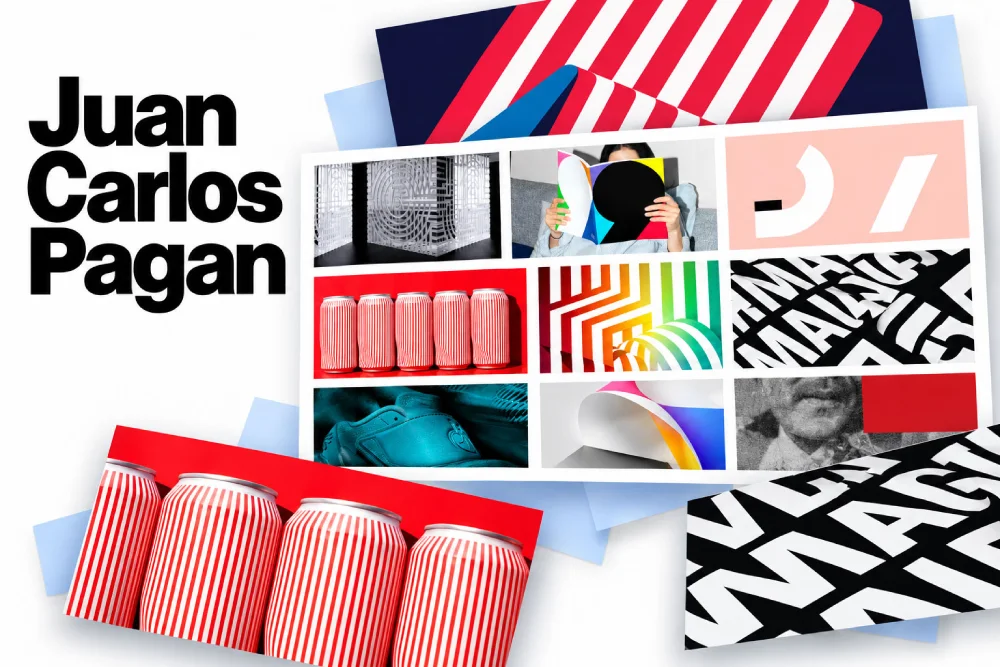
1. Juan Carlos Pagan
An award-winning designer, typographer, and creative director based in New York, Juan Carlos Pagan builds his portfolio around custom typography and bold branding. His site balances clean grid structures with massive, high-contrast imagery that lets custom letterforms take center stage. By using flexible grid scaling, he proves how large-scale brand systems can maintain their sharp, distinct personality across any device screen.
2. Lucas Zanotto
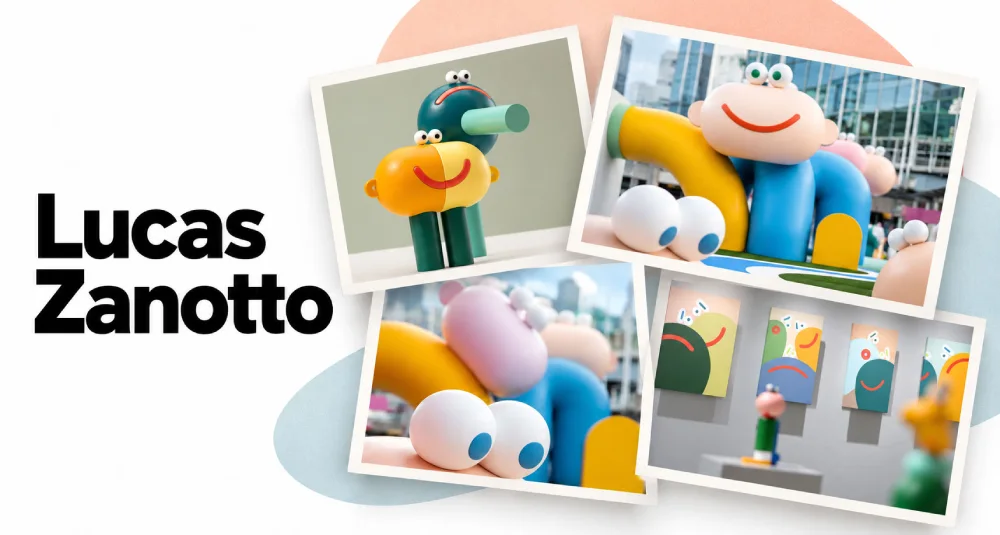
Renowned for his iconic, playful character design and minimalistic 3D animation, Zanotto’s portfolio uses clean spatial layouts and vibrant color palettes. The presentation mirrors his signature style through simple shapes, expressive motion, and whimsical interaction. By keeping the site frame understated, he allows his looping, color-rich animations to captivate visitors the instant the page loads.
3. Tim Jarvis
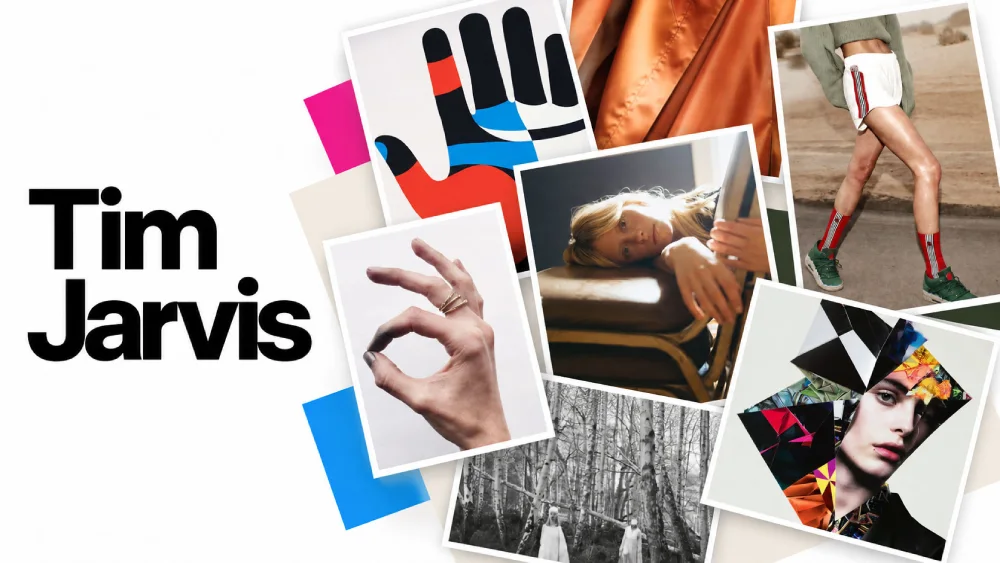
Tim Jarvis, Founder of Fabrik and a seasoned Creative Director, specializes in digital product design and brand strategy. His portfolio leverages an ultra-minimalist layout with ample white space and clean typography to showcase high-resolution creative assets. This distraction-free grid structure proves how simple, intentional presentation directs all visitor focus straight onto the quality of the work.
4. Jake Clarke Design
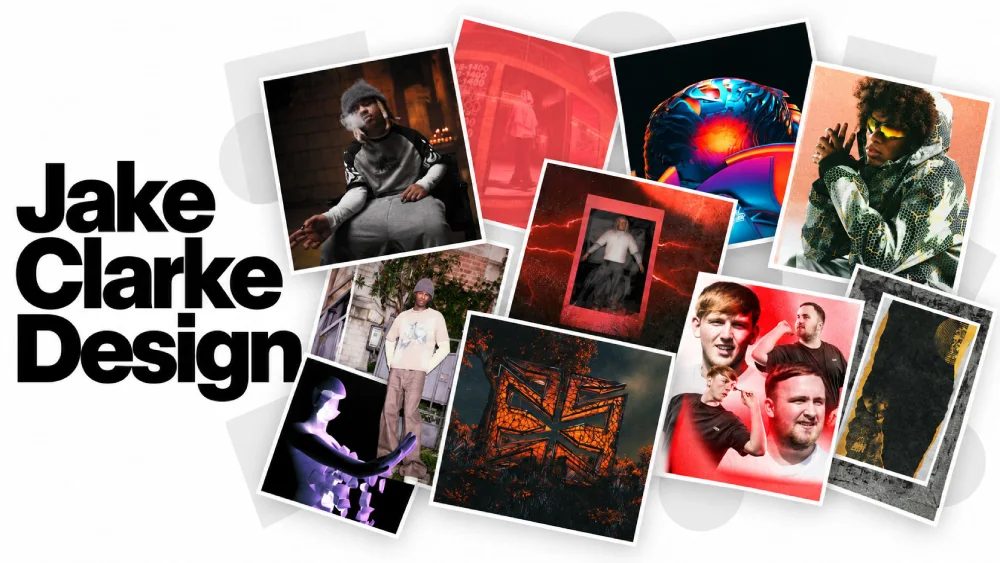
Jake Clarke specializes in music industry digital design, album packaging, and artist branding. His portfolio features an immersive dark-mode aesthetic with dynamic, full-bleed media embeds that capture the high-energy vibe of music visuals. By directly matching his site’s color palette and tone to his niche, he creates instant visual impact for potential clients.
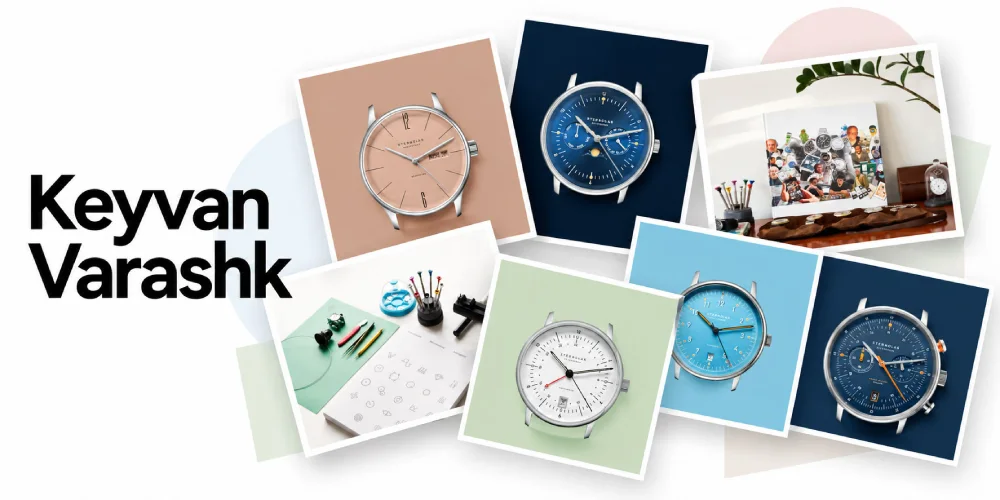
5. Keyvan Varashk
As a strategic product lead specializing in complex systems and horological design, Keyvan Varashk structures his portfolio around a precision-driven layout. By pairing high-detail CAD renders with in-depth strategic case studies, his site demonstrates how combining technical deliverables with process breakdowns builds instant trust for high-level consulting and product design roles.
What Makes a Graphic Design Portfolio Stand Out
The best graphic design portfolios balance individual personality with effortless navigation. Here are the core pillars that make a portfolio website truly effective:
– Strong Visual Identity
Your website layout should feel like an extension of your creative work. From carefully selected typography to balanced whitespace and subtle hover states, every design detail signals your taste level to prospective clients before they even click on a project.
– Easy Navigation
Keep your site structure intuitive. Visitors should be able to explore your work, filter by discipline, and find your contact details without getting lost in complex menus or multi-level navigation trees.
– High-Quality Project Presentation
Image quality matters. Use crisp, high-resolution visual assets and mockups that render sharply across every screen size. Crop intentionally and use flexible aspect ratios, so portrait, landscape, and square assets look balanced side by side.
– Clear Project Descriptions
Don’t let your visuals do all the heavy lifting. Write short, scannable project write-ups that outline the client brief, your specific role, and the thinking behind your final design decisions.
– Responsive Design
A major portion of client reviews happen on mobile devices and tablets. Ensure your image grids, typography, and case study layouts scale fluidly across desktop, tablet, and mobile browsers without broken containers or horizontal scrolling.
– About and Contact Information
Make reaching out effortless. Include a clear “About” page that highlights your background, design philosophy, and technical skills, alongside a direct email link or simple contact form right in your main navigation bar.
– Relevant Client or Project Details
Show context. Label your projects by discipline, such as brand identity, typography, packaging design, editorial layout, or UI design, so visitors can immediately evaluate your range.
Graphic Design Portfolio Template Layouts
Choosing the right presentation layout helps your work connect with the right audience. On Fabrik, designers use several core theme architectures tailored to different visual mediums:
- Horizontal Strip Layouts: Ideal for wide editorial spreads, packaging wraps, and horizontal campaign imagery. Visitors slide through media naturally from left to right.
- Stacked Gallery Grids: Perfect for versatile visual identity projects where portrait brand assets, logo marks, and square social graphics live side by side in a clean vertical feed.
- Container & Editorial Layouts: Designed for deep case studies that balance full-bleed hero visuals with detailed text columns, process drafts, and client feedback quotes.
Get Inspired by Real Creator Portfolios
Looking for layout ideas to build your own site? Explore our curated showcase of real creator websites built on Fabrik.
Explore Graphic Design Portfolio Examples on the Heroes Page
How to Organize Your Graphic Design Portfolio
When setting up your site, use a simple content structure that guides visitors smoothly through your work:
- Homepage: A curated selection of your top 6 to 8 featured case studies.
- Project Case Studies: Individual pages featuring hero imagery, brief client background, role details, and final mockups.
- About / Experience: A short bio, list of services, software tools, client list, and press mentions.
- Contact Page: A direct email link and simple enquiry form.
Conclusion
Ready to Launch Your Graphic Design Portfolio?
Build a responsive, professional site without writing code or fighting complex site builders. Upload your projects and Fabrik’s adaptive layouts handle the rest, so your work looks sharp on desktop, tablet, and phone. High-bitrate optimization keeps every image crisp, with no compression flattening your best pieces. Go live in minutes and spend your time on the design work.